---
title: "Google Password Manager App: A Complete 2026 Guide"
description: Explore the Google Password Manager app's features, security, and limitations in 2026. Learn how it compares to alternatives for family digital security.
image: https://www.ironcladfamily.com/hubfs/featured-1771310007725.jpg
---
[Skip to content](https://www.ironcladfamily.com/blog/google-password-manager-app#main-content)
[](https://www.ironcladfamily.com/)
- [WHY DIGITAL VAULTS](https://www.ironcladfamily.com/blog/tag/digital-family-vaults-estate-planning)
- [FINANCIAL PLANNING](https://www.ironcladfamily.com/blog/tag/financial-planning)
- [END OF LIFE PLAN](https://www.ironcladfamily.com/blog/tag/end-of-life-planning)
- [PREPAREDNESS](https://www.ironcladfamily.com/blog/tag/emergency-planning)
- [FOR ADVISORS](https://www.ironcladfamily.com/blog/tag/advisors)
# Google Password Manager App: A Complete 2026 Guide

[Sahar Lester February 17, 2026](https://www.ironcladfamily.com/blog/author/sahar-lester)
- [Digital Family Vaults & Estate Planning](https://www.ironcladfamily.com/blog/tag/digital-family-vaults-estate-planning)
- 12 mins
Managing passwords has become increasingly complex as families accumulate dozens, if not hundreds, of digital accounts. From banking credentials to streaming services, healthcare portals to estate planning documents, the average household juggles an overwhelming number of login details. The google password manager app emerged as Google's answer to this challenge, offering a built-in solution that promises convenience and security without requiring a separate subscription. Understanding how this tool works, its strengths, and its limitations is essential for families seeking to protect their digital lives while maintaining easy access to critical information.
## What Is the Google Password Manager App
The google password manager app is Google's integrated credential management system that stores, generates, and autofills passwords across devices. Unlike standalone password managers that require separate downloads and subscriptions, Google's solution comes built into Chrome browsers, Android devices, and other Google services. Users can access their saved passwords through [Google's dedicated password management interface](https://passwords.google/), which displays all stored credentials in one centralized location.
This system automatically saves passwords when you log into websites and apps, creating an encrypted database linked to your Google account. The synchronization happens seamlessly across all devices where you're signed into Chrome or using Android, making it particularly convenient for users already embedded in Google's ecosystem.
### Key Features Available in 2026
Recent updates have expanded the google password manager app's capabilities significantly. The platform now includes:
- **Password strength checker** that identifies weak or compromised credentials
- **Biometric authentication** for autofill on Android devices
- **Cross-device synchronization** across Chrome browsers and Android phones
- **Automatic password generation** for new accounts
- **Breach detection** that alerts users to compromised passwords
Recent improvements to [Chrome's security features](https://www.androidcentral.com/apps-software/google-is-making-chrome-autofill-a-little-less-risky-on-android) have added biometric verification requirements before autofilling sensitive information, addressing previous concerns about unauthorized access to devices.

## Security Considerations for Family Digital Protection
Security remains the most critical factor when evaluating any password management solution, especially for families storing sensitive information. The google password manager app employs AES-256 encryption to protect stored passwords, which represents military-grade security standards. However, the implementation differs significantly from dedicated password managers in one crucial aspect.
### Understanding Encryption Architecture
Google maintains the ability to decrypt your passwords if necessary, which means the system does not use zero-knowledge encryption. This architectural decision has important implications for families concerned about [data privacy and protection](https://www.ironcladfamily.com/blog/data-privacy-and-protection). While Google asserts they don't access user data without permission, the technical capability exists.
| Security Feature | Google Password Manager | Zero-Knowledge Alternatives |
| --- | --- | --- |
| Encryption Type | AES-256 | AES-256 |
| Decryption Access | Google holds keys | Only user holds keys |
| Recovery Options | Account recovery available | Master password only |
| Privacy Level | Company can access if compelled | Mathematically impossible for company |
For families managing estate planning documents, healthcare directives, and financial information, understanding these distinctions becomes essential. While the google password manager app provides strong security against external threats, it doesn't offer the same level of privacy protection as [zero-knowledge encryption systems](https://www.ironcladfamily.com/blog/zero-knowledge-encryption).
### Breach Monitoring and Alerts
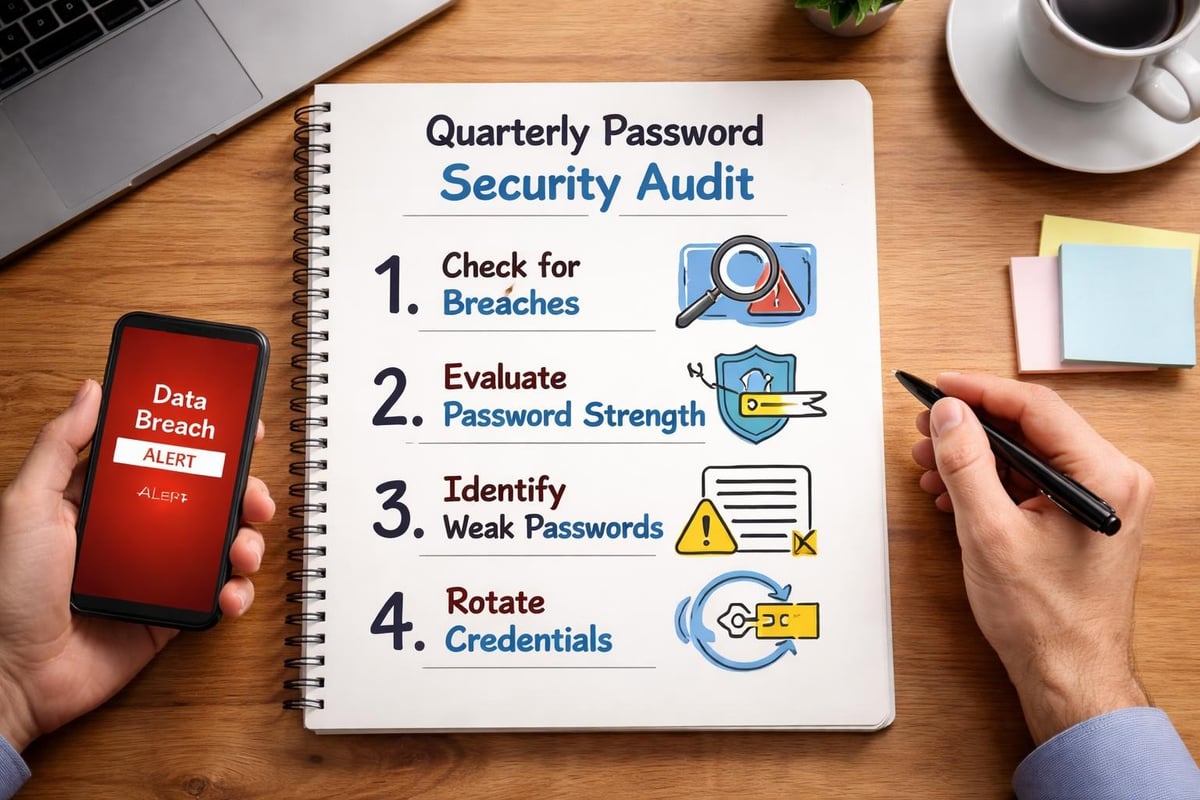
One valuable security feature the google password manager app provides is continuous monitoring for data breaches. The system compares your saved passwords against databases of known compromised credentials, alerting you immediately if your information appears in a breach. This proactive approach helps families maintain security across their digital footprint.
The password checkup tool evaluates stored credentials for:
1. **Reused passwords** across multiple accounts
2. **Weak passwords** that don't meet current security standards
3. **Compromised credentials** found in known data breaches
4. **Password age** identifying outdated login information
## Platform Compatibility and Accessibility
The google password manager app's reach extends primarily within Google's ecosystem, which presents both advantages and limitations. For families using multiple browsers or operating systems, understanding these boundaries is crucial for maintaining consistent access to credentials.
### Where Google Password Manager Works
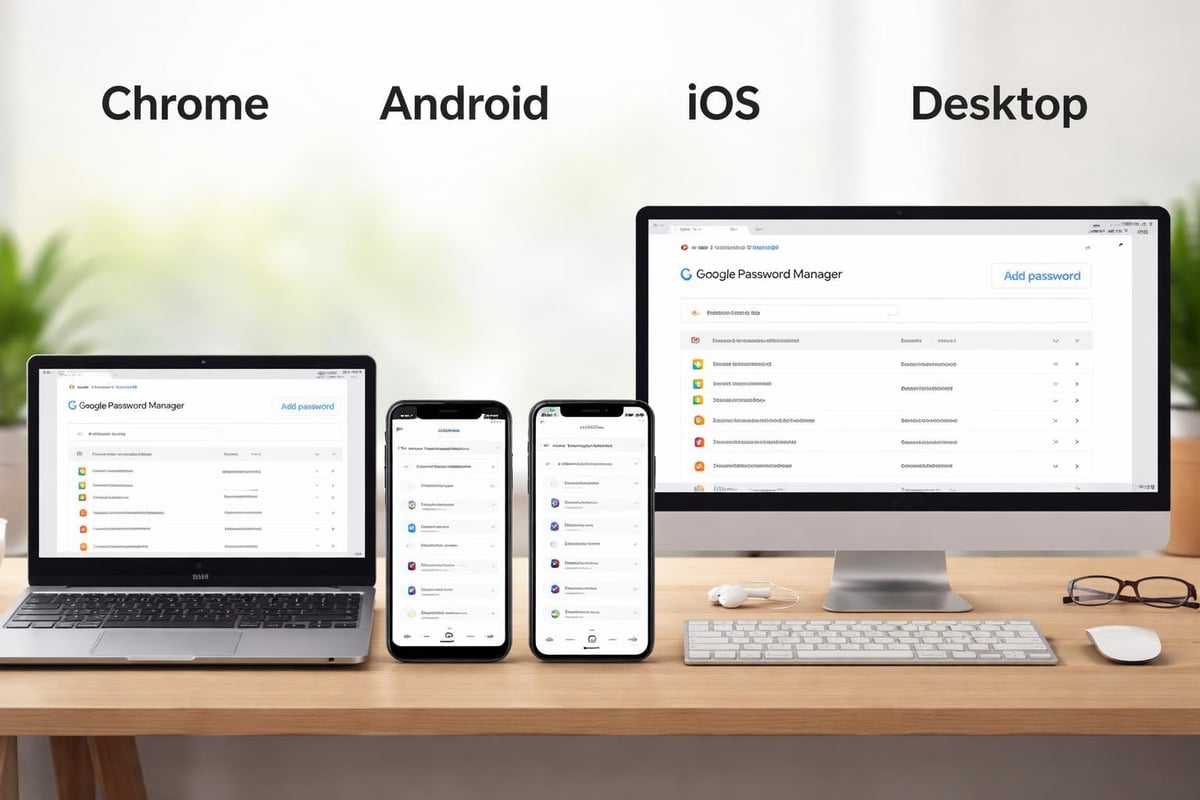
The system functions seamlessly across Chrome browsers on any operating system, including Windows, macOS, Linux, and Chrome OS. Android users enjoy the deepest integration, with autofill capabilities extending to all apps and browsers on their devices. However, limitations emerge when venturing outside Google's territory.
iOS and iPadOS users can access the google password manager app through Chrome for iOS, but the integration lacks the depth available on Android. Safari users on Apple devices cannot leverage Google's password management unless they switch to Chrome as their primary browser. This fragmentation creates challenges for families using diverse device ecosystems.
**Cross-Browser Limitations:**
- No native Firefox extension
- Limited Safari functionality
- Requires Chrome installation on non-Google devices
- Missing integration with Edge password manager
- No standalone desktop application (as of early 2026)
These restrictions contrast sharply with dedicated password managers that offer browser extensions for all major platforms. Families coordinating digital access across different devices and preferences may find these limitations frustrating, as noted in [user accounts of switching away from Google's solution](https://www.androidpolice.com/reasons-stopped-using-google-password-manager/).
## Practical Applications for Family Digital Management
Beyond simple password storage, families can leverage the google password manager app for coordinating shared digital access and maintaining security across household accounts. However, the platform's design focuses on individual users rather than family-oriented features.
### Managing Shared Account Access
Many families maintain shared accounts for streaming services, utilities, banking, and household management tools. The google password manager app allows password sharing through Chrome's built-in features, though this functionality remains less developed than dedicated family password managers. Users can share individual passwords with family members who also use Google accounts, but the process lacks sophisticated permission controls.
For families implementing [comprehensive financial management](https://www.ironcladfamily.com/blog/comprehensive-financial-management) strategies, coordinating access to financial accounts, investment platforms, and estate planning tools requires careful consideration. The google password manager app provides basic sharing capabilities but lacks features like:
- Temporary access grants with automatic expiration
- Permission levels for view-only versus edit access
- Shared folders for organizing family versus individual passwords
- Emergency access protocols for incapacitation scenarios
### Integration with Emergency Planning
When considering [in case of emergency](https://www.ironcladfamily.com/blog/in-case-of-emergency) scenarios, password management takes on heightened importance. Families need assurance that loved ones can access critical information when needed, but the google password manager app's emergency access features remain underdeveloped compared to specialized solutions.
The primary emergency access method requires sharing your Google account credentials, which provides complete access to all Google services rather than just password information. This all-or-nothing approach lacks the nuanced control families need when planning for various contingencies.
## Comparing Google's Solution to Dedicated Alternatives
The google password manager app occupies a unique position in the password management landscape, offering free convenience at the expense of advanced features. Understanding how it compares to both competitors and complementary solutions helps families make informed decisions about [protecting your digital life](https://www.ironcladfamily.com/blog/protect-your-digital-life).
### Feature Comparison Matrix
| Feature Category | Google Password Manager | Premium Alternatives |
| --- | --- | --- |
| Cost | Free | $2-10/month |
| Browser Support | Chrome-focused | All major browsers |
| Family Sharing | Basic | Advanced with permissions |
| Emergency Access | Limited | Structured protocols |
| Document Storage | No | Yes |
| Secure Notes | No | Yes |
| 2FA Storage | No | Yes |
As highlighted in [comparative analyses](https://www.tomsguide.com/phones/google-pixel-phones/google-just-fixed-one-of-the-biggest-problems-with-its-password-manager-but-i-still-dont-think-its-good-enough), while Google has made improvements, the platform still trails competitors in critical areas. Alternatives like [Dashlane](https://www.techradar.com/reviews/dashlane) offer more comprehensive family features, though at a subscription cost.
### When Google's Solution Makes Sense
The google password manager app serves certain user profiles particularly well. Families entirely committed to Android devices and Chrome browsers find the integration seamless and sufficient for basic needs. The zero-cost model appeals to budget-conscious households, and the automatic syncing across Google devices eliminates setup complexity.
**Ideal user scenarios include:**
1. Families using exclusively Android smartphones and Chrome browsers
2. Households with straightforward password needs and minimal sharing requirements
3. Users prioritizing convenience over advanced security features
4. Individuals new to password management seeking a simple starting point
However, families managing complex digital estates, coordinating access to sensitive documents, or requiring robust [emergency planning tools](https://www.ironcladfamily.com/blog/how-to-make-an-emergency-plan-for-a-family) may find the google password manager app insufficient for comprehensive protection.
## Advanced Security Settings and Best Practices
Maximizing the google password manager app's security requires understanding available settings and implementing best practices. While the platform provides solid baseline protection, users must actively engage with security features to achieve optimal results.
### Enabling Two-Factor Authentication
Securing your Google account with two-factor authentication represents the single most important step for protecting your google password manager app data. Since all passwords synchronize through your Google account, compromising this account grants access to every stored credential.
Google offers multiple 2FA options:
- **Google Authenticator** for time-based codes
- **Physical security keys** for hardware-based verification
- **Phone prompts** for quick authentication
- **Backup codes** for account recovery
Families should establish 2FA on all Google accounts and maintain secure backups of recovery methods. Consider storing backup codes in a [secure digital vault](https://www.ironcladfamily.com/blog/why-ironclad-family-is-the-best-digital-vault-service-for-families) separate from your Google account for redundancy.
### Regular Password Audits and Updates
The google password manager app includes a password checkup feature that families should use quarterly at minimum. This tool identifies security weaknesses and provides specific recommendations for improvement. Regular audits ensure your digital security evolves alongside emerging threats.
**Monthly security checklist:**
1. Review password checkup results and update flagged credentials
2. Change passwords for critical accounts (banking, healthcare, legal)
3. Remove passwords for closed or unused accounts
4. Verify sharing settings for family accounts
5. Confirm two-factor authentication remains active
## Privacy Implications and Data Control
Understanding what happens to your data when using the google password manager app requires examining Google's broader privacy policies and data handling practices. Unlike dedicated password managers that operate independently, Google's solution integrates with the company's extensive service ecosystem.
### Data Collection and Usage
Google's privacy policy covers password manager data alongside other services. While stored passwords remain encrypted, metadata about your usage patterns, websites visited, and account activity contributes to Google's broader data collection. For families concerned about [securing digital assets](https://www.ironcladfamily.com/blog/ways-safeguard-legacy-protecting-online-assets), this integration raises important considerations.
The company uses this information primarily for service improvement, security monitoring, and account recovery. However, as detailed in [analyses of Google Password Manager's limitations](https://www.techradar.com/features/google-password-manager-what-is-it-and-why-you-shouldnt-use-it), the lack of zero-knowledge architecture means Google theoretically can access your passwords if compelled by legal requirements or internal policies.
### Export and Portability Options
Families may eventually decide to transition from the google password manager app to alternative solutions. Google provides password export functionality through Chrome's settings menu, allowing users to download all saved credentials as a CSV file. This portability ensures you're not permanently locked into Google's ecosystem.
**Export process:**
1. Open Chrome and navigate to Settings
2. Select Passwords under Autofill section
3. Click the three-dot menu next to Saved Passwords
4. Choose Export passwords
5. Authenticate with your device credentials
6. Save the CSV file to a secure location
Remember that exported password files contain unencrypted credentials and should be handled with extreme care, ideally importing immediately into another secure system and deleting the CSV file afterward.
## Mobile Experience and App Development
The google password manager app's mobile presence has evolved significantly, addressing long-standing criticism about the lack of a standalone application. Recent developments have improved accessibility while maintaining integration with Android's core functionality.
### Standalone App Functionality
Google released a dedicated Password Manager app in late 2025, providing direct access to stored credentials without requiring users to navigate through Chrome or system settings. This development addressed [major user complaints](https://www.androidpolice.com/reasons-stopped-using-google-password-manager/) about accessibility and convenience.
The standalone app offers:
- Direct credential search and access
- Quick password updates and generation
- Security checkup at your fingertips
- Biometric unlocking for added security
- Simplified sharing of individual passwords
iOS users can download the app from the App Store, though functionality remains more limited than on Android devices due to Apple's platform restrictions and ecosystem preferences.
### Autofill Integration on Different Platforms
Autofill capabilities represent where the google password manager app truly shines on Android but encounters limitations on competing platforms. Android's deep system integration allows the password manager to function across all apps and browsers seamlessly, creating a genuinely unified experience.
On iOS, autofill requires explicit permission for each app and browser, and the experience feels less polished than Apple's native Password Manager. This disparity reflects broader ecosystem competition rather than Google's technical limitations, but it affects the practical user experience nonetheless.
## Future Developments and Industry Trends
The password management landscape continues evolving rapidly, with new authentication methods, security standards, and user expectations shaping development priorities. Understanding where the google password manager app fits within these trends helps families anticipate future capabilities and limitations.
### Passkey Support and Passwordless Authentication
Google has invested heavily in passkey technology, which represents the industry's shift toward passwordless authentication. Passkeys use cryptographic key pairs to verify identity without transmitting passwords, eliminating many traditional security vulnerabilities. The google password manager app now supports passkey storage and management, positioning users for the gradually approaching passwordless future.
**Passkey advantages:**
- Phishing-resistant authentication
- No password reuse risks
- Simpler user experience
- Stronger security guarantees
- Reduced credential theft impact
As more websites and services adopt passkey support throughout 2026 and beyond, families using the google password manager app will automatically benefit from enhanced security without changing their workflow.
### Competitive Pressure and Feature Development
Google faces significant competitive pressure from both established password managers and emerging solutions focused on family digital protection. Recent [updates to Google Password Manager](https://www.androidauthority.com/google-password-manager-chrome-update-3333017/) reflect this competition, introducing features that bring the platform closer to premium alternatives while maintaining its free access model.
The company's challenge involves balancing simplicity with capability, free access with sustainable development, and integration with independence. Families should monitor these developments when making long-term decisions about [password management strategies](https://www.ironcladfamily.com/blog/password-password-manager) and digital legacy planning.
## Integrating Password Management with Broader Family Security
Effective password management represents just one component of comprehensive family digital protection. The google password manager app handles credentials effectively within its scope, but families need broader solutions for complete peace of mind regarding their digital legacy and emergency preparedness.
### Beyond Passwords: Document and Instruction Storage
While the google password manager app excels at credential management, it doesn't address other critical family security needs. Important documents like estate plans, healthcare directives, insurance policies, and emergency instructions require separate secure storage solutions. Families should consider how password management integrates with document protection, access delegation, and emergency information delivery.
Comprehensive family digital protection involves:
- **Secure credential storage** through password managers
- **Document vaults** for sensitive files and records
- **Emergency access protocols** ensuring loved ones receive information when needed
- **Legal document organization** for estate planning materials
- **Digital asset inventories** tracking online accounts and holdings
The google password manager app serves the first requirement well but requires supplementation for complete coverage. Families serious about [protecting your family legacy](https://www.ironcladfamily.com/blog/how-to-protect-your-family-legacy) should evaluate integrated solutions designed specifically for family digital protection needs.
### Coordinating Multi-Generational Digital Access
Modern families span multiple generations with varying technical comfort levels and diverse device preferences. The google password manager app's Chrome-centric approach may not accommodate grandparents using Safari on iPads or adult children preferring Firefox on Linux workstations. Creating cohesive family digital security across these diverse needs requires thoughtful planning.
Consider establishing family protocols for:
1. **Shared account management** for household services
2. **Emergency contact information** accessible during crises
3. **Critical credential access** for financial and legal accounts
4. **Digital estate planning** ensuring continuity after death or incapacity
5. **Regular security reviews** involving all family members
---
The google password manager app provides a solid, free foundation for credential management, particularly for families committed to Google's ecosystem. However, truly comprehensive family digital protection requires looking beyond simple password storage to encompass document security, emergency access planning, and coordinated information sharing across generations.
[IronClad Family](https://ironcladfamily.com) specializes in exactly this broader approach, offering secure digital vaults that integrate password protection with estate planning tools, emergency instructions, and predetermined access delivery to loved ones when you need it most. Take control of your family's digital legacy today with solutions designed specifically for comprehensive protection across all your critical information.

### Sahar Lester
Sahar Lester is the Founder and CEO of IronClad Family, a company dedicated to helping families and businesses safeguard their most valuable assets through secure digital vaults. With a master’s degree in Security Technologies from the University of Minnesota and experience spanning cybersecurity, leadership, and international commerce, Sahar bridges the gap between innovation and protection. She also serves as an adjunct professor at Metropolitan State University, mentoring the next generation of cybersecurity professionals.
[mailto:sahar.lester@ironcladfamily.com](mailto:sahar.lester@ironcladfamily.com)
## Latest posts
- [ALL POSTS](https://www.ironcladfamily.com/blog/all)
[](https://www.ironcladfamily.com/blog/diy-will-guide-protect-your-family-in-2026)
Sep 19, 2026, 6:41:12 AM
### [DIY Will Guide: Protect Your Family in 2026](https://www.ironcladfamily.com/blog/diy-will-guide-protect-your-family-in-2026)
[](https://www.ironcladfamily.com/blog/everplans-vs-digital-vault-with-zero-knowledge-encryption-choosing-your-legacy-strategy-2026)
Sep 19, 2026, 6:23:11 AM
### [Everplans vs Digital Vault with Zero Knowledge Encryption: Choosing Your Legacy Strategy (2026)](https://www.ironcladfamily.com/blog/everplans-vs-digital-vault-with-zero-knowledge-encryption-choosing-your-legacy-strategy-2026)
---
[](https://ironcladfamily.com)
**66 W. Flagler Street, Suite 900**
**Miami, FL 33130**
**United States**
[Tel: 1-786-360-1352](tel:7863601352)
[admin@ironcladfamily.com](mailto:admin@ironcladfamily.com)
#### Products
#### Pages
- [Physical Protection](https://shop.ironcladfamily.com)
- [Digital Protection](https://www.ironcladfamily.com/digital-vault)
- [Advisors](https://www.ironcladfamily.com/advisor)
- [Pricing](https://www.ironcladfamily.com/plans-and-pricing)
- [Security](https://www.ironcladfamily.com/security)
- [Contact](https://www.ironcladfamily.com/contact-us)
#### Learn
- [FAQ](https://www.ironcladfamily.com/faq)
- [Learning Center](https://www.ironcladfamily.com/learning-center)
- [Support](https://support.ironcladfamily.com)
### Get family protection tips and holistic advisor insights!
- [Terms and Services](https://www.ironcladfamily.com/terms-and-conditions)
- [Privacy Policy](https://www.ironcladfamily.com/privacy-policy)
© 2026 IronClad Family. All Rights Reserved. [Follow us on Facebook](https://www.facebook.com/ironcladfamily) [Follow us on LinkedIn](https://www.linkedin.com/company/ironcladfamily) [Follow us on Twitter](https://twitter.com/IronClad_Family) [Follow us on Facebook](https://www.instagram.com/ironcladfamily)

```json
{
"@context" : "https://schema.org",
"@type" : "BlogPosting",
"author" : {
"@type" : "Person",
"name" : "Sahar Lester",
"url" : "https://www.ironcladfamily.com/blog/author/sahar-lester"
},
"dateModified" : "2026-02-17T22:45:19.432Z",
"datePublished" : "2026-02-17T22:36:12.000Z",
"headline" : "Google Password Manager App: A Complete 2026 Guide",
"image" : [ "https://www.ironcladfamily.com/hubfs/featured-1771310007725.jpg" ],
"mainEntityOfPage" : {
"@id" : "https://www.ironcladfamily.com/blog/google-password-manager-app",
"@type" : "WebPage"
},
"publisher" : {
"@type" : "Organization",
"logo" : {
"@type" : "ImageObject",
"url" : "https://www.ironcladfamily.com/hubfs/Logo%20PNG-1.png"
},
"name" : "IronClad Family"
}
}
```
```json
{
"@context" : "https://schema.org",
"@type" : "Organization",
"address" : {
"@type" : "PostalAddress",
"addressCountry" : "US",
"addressLocality" : "Miami",
"addressRegion" : "FL",
"postalCode" : "33130",
"streetAddress" : "66 W. Flagler St #900"
},
"areaServed" : {
"@type" : "Country",
"name" : "United States"
},
"description" : "Veteran-owned family protection and digital legacy company offering zero-knowledge encrypted digital vaults.",
"email" : "admin@ironcladfamily.com",
"foundingLocation" : {
"@type" : "Place",
"address" : {
"@type" : "PostalAddress",
"addressCountry" : "US",
"addressLocality" : "Miami",
"addressRegion" : "FL"
}
},
"logo" : "https://8926831.fs1.hubspotusercontent-na1.net/hubfs/8926831/Optimization-2022/Logo%20PNG-1.webp",
"name" : "IronClad Family LLC",
"sameAs" : [ "https://www.facebook.com/ironcladfamily", "https://www.linkedin.com/company/ironcladfamily" ],
"telephone" : "+17863601352",
"url" : "https://www.ironcladfamily.com"
}
```
```json
{
"@context" : "https://schema.org",
"@type" : "NewsArticle",
"alternativeHeadline" : "Explore the Google Password Manager app's features, security, and limitations in 2026. Learn how it compares to alternatives for family digital security.",
"author" : {
"@type" : "Person",
"name" : "Michael Lester",
"url" : "https://www.linkedin.com/in/michaellester"
},
"dateModified" : "2026-02-17T22:45:19+0000",
"datePublished" : "2026-02-17T22:36:12+0000",
"description" : "Explore the Google Password Manager app's features, security, and limitations in 2026. Learn how it compares to alternatives for family digital security.",
"headline" : "<span id="hs_cos_wrapper_name" class="hs_cos_wrapper hs_cos_wrapper_meta_field hs_cos_wrapper_type_text" style="" data-hs-cos-general-type="meta_field" data-hs-cos-type="text" >Google Password Manager App: A Complete 2026 Guide</span>",
"image" : "https://8926831.fs1.hubspotusercontent-na1.net/hubfs/8926831/featured-1771310007725.jpg",
"mainEntityOfPage" : {
"@id" : "https://www.ironcladfamily.com/blog/google-password-manager-app",
"@type" : "WebPage"
},
"publisher" : {
"@type" : "Organization",
"logo" : {
"@type" : "ImageObject",
"height" : 60,
"url" : "https://blog.ironcladfamily.com/path-to-logo.png",
"width" : 600
},
"name" : "IronClad Family"
}
}
```