
In 2026, online risks continue to grow as cyberattacks and data theft become more sophisticated. Personal and business information remains exposed across multiple platforms, making modern digital protection more important than ever.
This guide walks you through today’s best methods for safeguarding sensitive files using a private storage system built for confidentiality. You’ll learn what these systems do, why they matter, how new security standards work, and how to set them up the right way.
Understanding Encrypted Storage Systems: What They Are and Why They Matter
Today’s digital environment evolves quickly, and protecting confidential information requires more than ordinary cloud storage. Whether you manage financial papers, personal documents, or business records, a privacy-focused storage platform is one of the smartest tools you can use in 2026.
What Is an Encrypted Storage Vault?
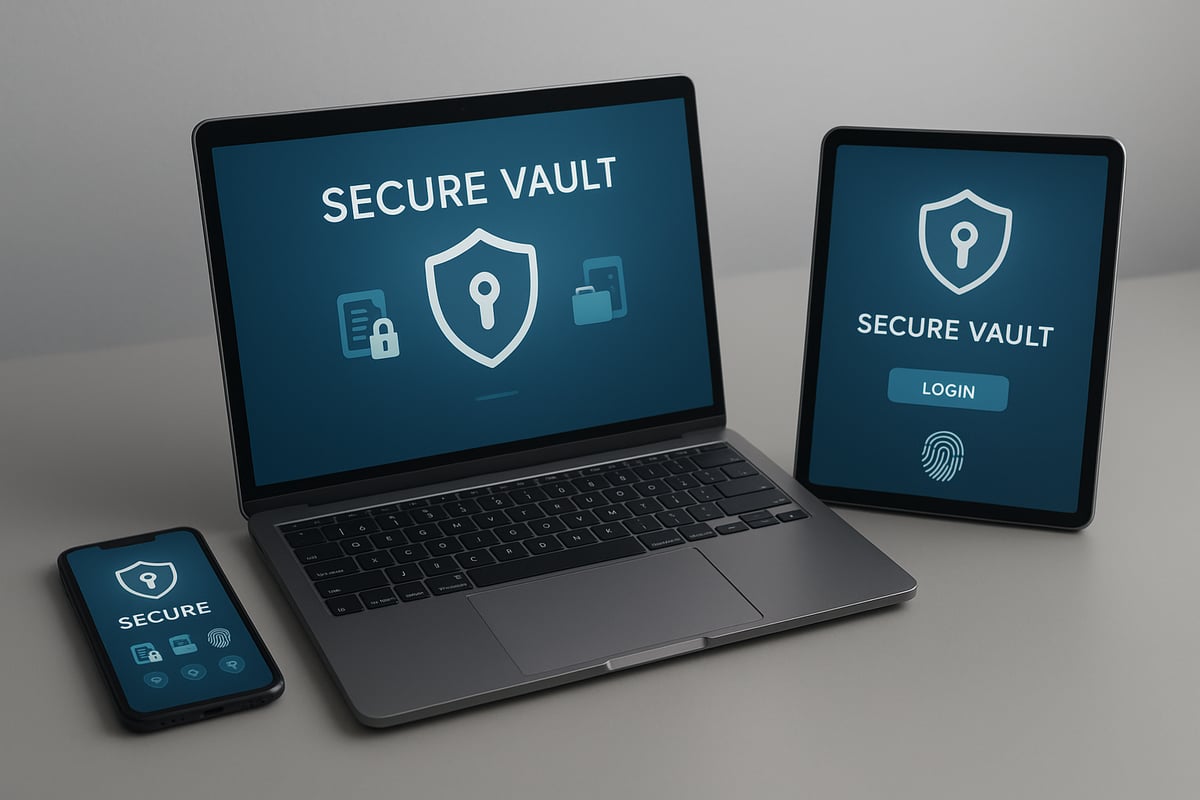
An encrypted vault is a digital tool designed to secure private files, passwords, images, and documents. It works like a personal safety deposit box, but online—using strong encryption instead of locks. Only users with the right permissions can view the information.
Examples of sensitive items people store include:
- Passports and IDs
- Financial statements
- Photos and personal notes
- Contracts, client data, or business materials
Earlier versions of these apps acted mostly as password managers, but modern platforms now include biometric access, secure sharing, and advanced backup controls. Apple’s Secure Enclave technology is an example of built-in hardware encryption that supports these apps:
https://support.apple.com/guide/security/secure-enclave-sec59b0b31ff/web
Why Encrypted Vaults Are Essential in 2026
Data compromises have increased significantly in recent years. Research from IBM’s Data Breach Report shows that the average breach now costs organizations millions in recovery:
https://www.ibm.com/reports/data-breach
Remote work, shared devices, and cloud-based workflows introduce new vulnerabilities. Regulations like GDPR (https://gdpr.eu/) and CCPA (https://oag.ca.gov/privacy/ccpa) also require stricter protection of personal information.
People and businesses are increasingly seeking storage systems that adhere to a zero-knowledge approach—meaning even the service provider cannot access the stored files.
For a deeper explanation of digital vaults and their growing importance, see:
https://www.ncsc.gov.uk/collection/small-business-guide
Core Advantages of Using a Protected Storage System
Using a privacy-focused storage tool provides:
- Centralized file organization
- Strong encryption that shields content from unauthorized access
- Secure ways to share documents
- Peace of mind knowing sensitive data is protected
This makes it a highly practical option for both families and organizations.
Key Features to Look for in 2026
Choosing the right solution requires understanding the features that matter.
Strong Encryption & Private-Key Architecture
Look for AES-256 or similar encryption. Zero-knowledge design ensures only the rightful user can decrypt files. For more details, see this overview of encryption standards:
https://www.cisa.gov/secure-our-worldAdvanced Encryption and Zero-Knowledge Architecture
A secure vault must offer robust encryption to withstand sophisticated cyberattacks. AES-256 encryption is the industry standard, providing strong protection for files, passwords, and communications. Zero-knowledge architecture ensures that only you can access your data, as the provider never stores or sees your encryption keys. This approach is now essential for privacy, especially as cloud-based services proliferate.
For a deeper understanding of this crucial feature, explore the Benefits of Zero-Knowledge Encryption. Choosing a secure vault with zero-knowledge encryption gives you peace of mind that your information is inaccessible to outsiders, even if the service itself is compromised.
Multi-Factor Authentication and Biometrics
MFA and biometric login (Face ID, fingerprints, etc.) prevent unwanted access. Many breaches in recent years stemmed from stolen credentials, making layered verification essential.
Ease of Use and Accessibility
Tools that resemble familiar file managers help reduce frustration and mistakes. Consider accessibility settings and cross-device syncing.
Secure File Sharing & Conditional Access
Top platforms offer:
- Password-protected sharing
- Expiration controls
- Event-based permissions
- Encrypted export formats
Emergency and Privacy Controls
Panic mode, hidden views, or instant lock features help protect information if an emergency arises.
Activity Logs and Monitoring
Audit trails help track changes, access events, and suspicious activity.
Step-by-Step Setup Guide
Step 1: Choosing the Right Secure Vault Solution
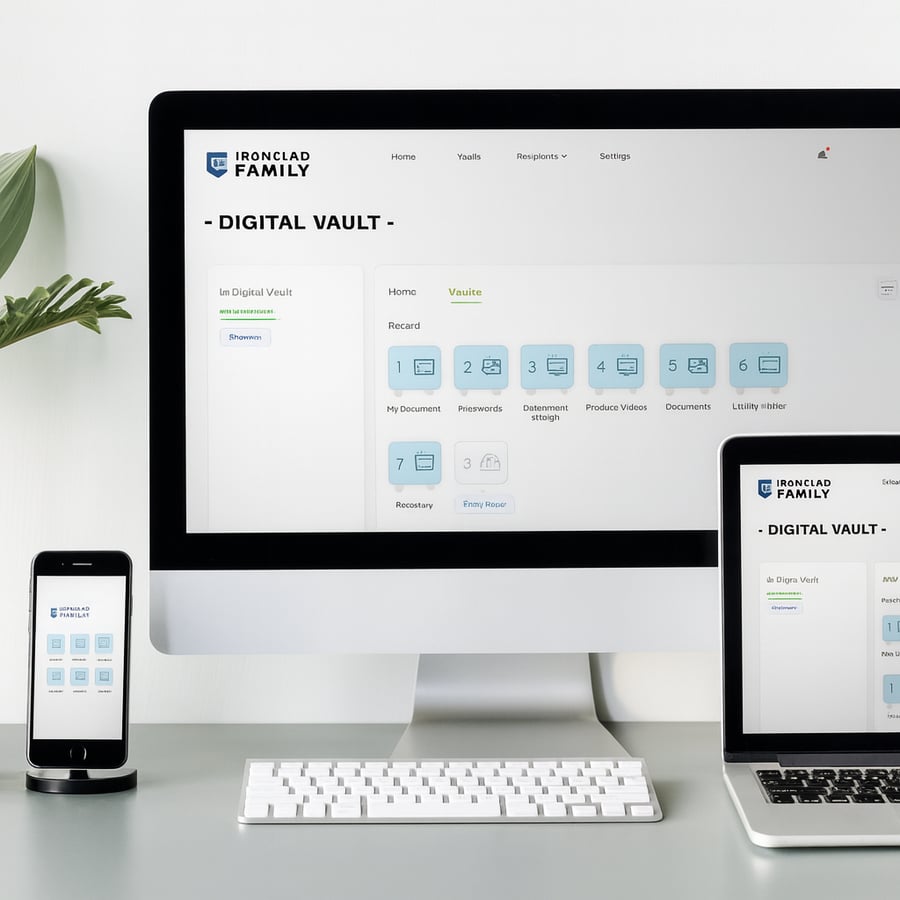
Selecting the ideal secure vault is the foundation of strong data protection. Begin by evaluating your platform needs—do you require compatibility across iOS, Android, and web browsers? Look for vaults that offer seamless syncing across all your devices.
Consider the following factors:
- Platform compatibility (iOS, Android, web)
- Scalability for personal or business use
- Customer support and response time
- Security features (encryption, backup, MFA)
- Pricing model: free, subscription, or one-time purchase
Compare top-rated vault apps using a quick table:
|
App Name |
Platforms |
User Rating |
Key Features |
Price Model |
|---|---|---|---|---|
|
Secure Vault: Hide Files |
iOS, Android |
4.3/5 |
Biometric, MFA, Folders |
Free/Premium |
|
IronClad Family Vault |
Web, Mobile |
4.5/5 |
Conditional Access |
Subscription |
Reading recent user reviews and checking ratings can reveal real-world pros and cons. Weigh the benefits of premium features against your actual needs. Remember, your secure vault must fit your lifestyle or business demands to deliver optimal protection.
Step 2: Installation and Initial Configuration
After choosing your secure vault, download and install it on your preferred devices. Start by creating a robust master password or passphrase—a phrase that’s long, unique, and not reused elsewhere. This is your first line of defense.
Most modern vaults guide you through setup with easy onboarding:
- Enable multi-factor authentication (MFA)
- Set up biometric access (Face ID, fingerprint)
- Review and adjust security settings
- Walk through initial tutorials or setup wizards
Take advantage of biometric features for quick yet secure access. Always store your master password in a safe, offline location as backup. This step ensures your secure vault is locked down from the very start.
Step 3: Importing and Organizing Your Data
Now, populate your secure vault with the information you want to protect. Common items include:
- Documents (PDFs, contracts, IDs)
- Passwords and login credentials
- Photos and videos
- Secure notes and contacts
Many vaults offer batch import or auto-detection to simplify this process. Use folders, tags, and custom categories to keep your vault organized and accessible. Features like automatic image parsing can further streamline your workflow.
For a deeper dive into how encrypted vaults help organize and safeguard critical information, see the Significance of Encrypted Vaults.
Organizing your secure vault from the outset saves time and reduces stress as your data library grows.
Step 4: Setting Up Secure Sharing and Emergency Access
A top-tier secure vault lets you share files or documents safely with trusted contacts. Add your inner circle—family, legal advisors, or business partners—and define clear access rules.
Key setup options include:
- Secure sharing via encrypted links or files
- Conditional access (time-based, event-triggered, or inactivity)
- Emergency triggers for document release in case of incapacity
- Secure export (such as encrypted ZIP archives) for data portability
Configuring emergency access ensures that your vital information reaches the right people, even if you’re unavailable. This not only protects your assets but also supports estate planning and business continuity.
Step 5: Ongoing Management and Maintenance
Your secure vault requires periodic attention to maintain its effectiveness. Schedule regular audits of stored data and review access logs to spot any unusual activity. Update your vault software promptly to receive the latest security patches and features.
Best practices include:
- Changing your master password and resetting MFA periodically
- Backing up your vault to secure, offline locations
- Reviewing and updating trusted contacts and access rules
Staying proactive with your secure vault ensures your data remains protected, organized, and easily accessible when needed.
Advanced Vault Security: Expert Tips and Best Practices for 2026
Staying ahead of cyber threats in 2026 means being proactive with your secure vault strategy. As digital risks evolve, so must your approach to protection. The following expert tips and best practices will help you maximize the security and utility of your secure vault, ensuring your sensitive data remains out of reach from unauthorized parties.
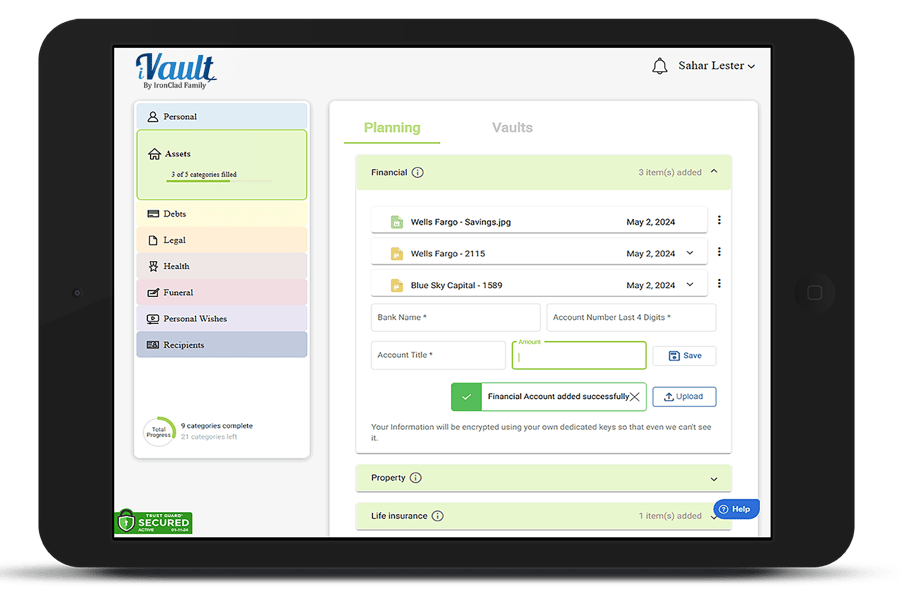
Leveraging Conditional Access and Automated Delivery
Conditional access is a cornerstone of modern secure vault solutions. By setting rules based on factors like device, location, or time, you control exactly who accesses your data and when. This is vital for both personal and professional use.
Automated document delivery is another key feature, particularly for estate planning or emergencies. For instance, you can configure your secure vault to release critical files to trusted contacts if certain conditions are met, such as prolonged inactivity or a specified date.
- Set up geolocation or device-based access restrictions
- Schedule automated release of essential documents
- Use event-based triggers for emergency information delivery
These features ensure your information is available to the right people at the right time, without sacrificing privacy. By leveraging conditional access, your secure vault becomes a dynamic safeguard, not just static storage.
Protecting Against Emerging Threats
Cybercriminals are leveraging AI-driven phishing, malware, and ransomware tactics at unprecedented rates. To counter these threats, your secure vault should include real-time monitoring, suspicious login alerts, and vault-integrated secure browsers for safe online activities.
According to Top Cybersecurity Statistics for 2025, the frequency and sophistication of cyberattacks have surged, making layered defenses essential. Vaults that integrate with threat intelligence or offer built-in browser isolation provide a significant security advantage.
- Enable alerts for unauthorized access attempts
- Monitor vault activity logs regularly
- Use private browsing modes for sensitive transactions
A secure vault with adaptive security features keeps you prepared for emerging threats and minimizes your risk exposure.
Maximizing Privacy with Device-Level Security
A secure vault is most effective when combined with robust device-level protections. Enable full-device encryption to add another layer of defense. In case of a lost or stolen device, remote wipe and lockout features can prevent data compromise.
Look for vaults with panic switch functions that instantly disguise or lock the app in emergencies. This quick action can thwart unwanted attention and keep your data hidden.
- Activate device encryption on all endpoints
- Set up remote wipe in your secure vault settings
- Utilize panic switch or instant disguise features
By combining device security with your secure vault, you create a multi-layered privacy shield for your sensitive information.
Regular Training and Awareness
Even the most advanced secure vault cannot compensate for user error or social engineering attacks. Regular training is crucial to ensure every user understands secure vault best practices, such as recognizing phishing attempts and maintaining strong authentication.
Offer clear user manuals and ongoing support resources. Encourage feedback to identify areas where onboarding or documentation can be improved.
- Provide staff or family training on secure vault usage
- Update users on new features and security threats
- Develop easy-to-follow guides and troubleshooting steps
A well-informed user base is your first line of defense, supporting the effectiveness of your secure vault.
Data Portability and Compliance
In 2026, compliance requirements evolve rapidly. Your secure vault should support easy, secure export and migration of data to meet GDPR, CCPA, and new regulatory standards. This ensures you maintain control over your information, even when changing providers.
Export options like encrypted ZIP files facilitate data portability while preserving security. Audit trails and compliance reports help demonstrate adherence to regulations during audits.
- Export vault data securely when needed
- Maintain audit logs for regulatory compliance
- Review provider compliance features before migrating
By prioritizing portability and compliance, your secure vault adapts to changing needs without compromising privacy or legal obligations.
Troubleshooting and Optimizing Your Secure Vault Experience
As you integrate a secure vault into your daily workflow, encountering occasional issues is inevitable. Proactive troubleshooting and regular optimization ensure your secure vault remains a reliable protector of your sensitive information. Understanding both common challenges and practical solutions is key for long-term security and usability.
Common Issues and How to Resolve Them
Even with advanced technology, secure vault platforms are not immune to technical hiccups. Here are some of the most frequent issues users face and practical steps to resolve them:
- File Import/Export Problems: If you encounter errors importing or exporting files, verify supported file types and size limits. Some secure vault apps restrict video exports or batch imports. Splitting large files or converting formats often solves these challenges.
- Password or MFA Lockout: Forgetting your master password or losing access to MFA devices can be stressful. Most secure vault solutions offer account recovery using backup codes or trusted contacts. Store recovery details in a separate, secure location.
- Syncing Across Devices: Issues syncing data between your phone, tablet, and desktop are common. Ensure all devices run the latest app version and have stable internet. Re-link accounts or re-authenticate if syncing stalls.
- App Crashes and Update Errors: If your secure vault app crashes or fails to update, check for device compatibility and available storage. Clearing the app cache, reinstalling, or updating your operating system can often restore functionality.
- User Experience Challenges: Navigation difficulties, non-alphabetized entries, or missing help guides can hinder productivity. Look for secure vault apps that provide user manuals and customizable views.
Addressing these problems promptly is crucial, as unresolved issues can leave your data exposed to risks. According to Data Breach Statistics 2025, the number of breaches continues to climb, highlighting the importance of maintaining a fully functional secure vault.
Optimizing Performance and Usability
Beyond fixing issues, optimizing your secure vault ensures a seamless, efficient experience. Consider these strategies:
- Faster Search and Retrieval: Use folders, tags, and custom categories to organize data. Many secure vault platforms support batch tagging and advanced search, saving time when locating files.
- Customizing Alerts and Backups: Adjust notification settings for access attempts or completed backups. Schedule regular backups to both cloud and offline storage for redundancy.
- Enhancing Usability: Take advantage of app support channels, community forums, and detailed documentation. If available, provide feedback to developers on usability improvements.
- Staying Updated: Regularly update your secure vault software to benefit from new features and critical security patches. Enable automatic updates where possible.
- Learning from User Feedback: Review recent updates and user comments to identify common pain points and enhancements. Many secure vault apps release changelogs and user guides with each update.
By implementing these best practices, you maximize the benefits of your secure vault and reduce the risk of data loss or unauthorized access. Continuous optimization ensures your sensitive information remains protected and accessible when you need it most.
As we’ve explored, safeguarding your family’s most important documents and memories is essential in a world where digital threats are constantly evolving. With IronClad Family’s secure digital vaults, you gain not only robust encryption and flexible access controls, but also the confidence that your critical information is always protected and organized for any situation. If you’re ready to take the next step in digital security and see how effortless true peace of mind can be,
I encourage you to Start 14 Day Free Trial and experience the difference for yourself.

