


Did you know data breaches and identity theft are rising at unprecedented rates, making your personal details a prime target in 2026? Every online action, from shopping to social media, increases your exposure to evolving digital threats. This essential guide will help you protect personal information by equipping you with practical steps and the latest security strategies. Discover how to defend against hackers, avoid scams, and maintain peace of mind as you navigate today’s connected world. Ready to take control of your privacy? Follow this guide to secure your sensitive data at home and on the go.
Understanding Personal Information and Modern Risks
In 2026, understanding what it takes to protect personal information has never been more important. The types of data at risk, the threats you face, and the reasons everyone is vulnerable have changed dramatically in recent years. Let’s break down what you need to know to stay one step ahead of cybercriminals and digital threats.

What Counts as Personal Information Today
Personal information is no longer limited to your name or address. Today, it includes a wide range of data, often referred to as Personally Identifiable Information (PII). Sensitive data, such as Social Security numbers, bank account details, medical records, and biometric identifiers, require the highest level of protection. Non-sensitive data, like usernames or device IDs, can also be exploited if combined with other information.
With the rise of IoT devices, wearables, and smart home technology, the categories of personal data have expanded significantly. Your digital assets—such as online account credentials, cloud storage files, and even your browsing habits—are now valuable targets. To protect personal information, you must consider both traditional and emerging types of data in your daily routines.
Examples of Modern PII:
- Social Security numbers
- Financial records and payment info
- Health and medical data
- Biometric identifiers (fingerprints, facial scans)
- Digital footprints from smart devices
The Evolving Threat Landscape in 2026
The risks to your personal information have grown as attackers adopt new technologies. Recent statistics reveal data breaches and identity theft have reached record highs, with billions of records exposed in 2025. Attackers now use AI-driven phishing, deepfakes, and complex social engineering to trick individuals and bypass security measures.
Ransomware and digital extortion target not only businesses, but also personal files and family photos. Data brokers collect and sell personal details, while dark web marketplaces make it easy for criminals to buy and sell stolen information. A recent high-profile breach exposed millions of records, highlighting why it is crucial to protect personal information from these threats. For a deeper dive into these risks and modern safeguards, see Understanding data privacy protection.
Emerging Threats Table:
|
Threat |
Description |
|---|---|
|
AI-driven phishing |
Personalized, automated scams |
|
Deepfakes |
Fake audio/video for impersonation |
|
Ransomware |
Extortion targeting personal files |
|
Data brokerage |
Sale of personal info to third parties |
Why Everyone Is a Target
No one is immune from digital threats. Criminals use stolen data for fraud, impersonation, and even blackmail. Children’s and seniors’ information is especially vulnerable due to less awareness and fewer safeguards. Many believe they have “nothing to steal,” but low-value targets are often easier prey for cybercriminals.
Regulatory changes have introduced stricter privacy laws, but these do not eliminate all risks. To protect personal information, you must stay proactive. Even with new regulations, gaps remain that cybercriminals exploit. Understanding that every individual is a potential target is the first step toward building a strong defense and reducing your exposure.
Step 1: Secure Devices and Networks
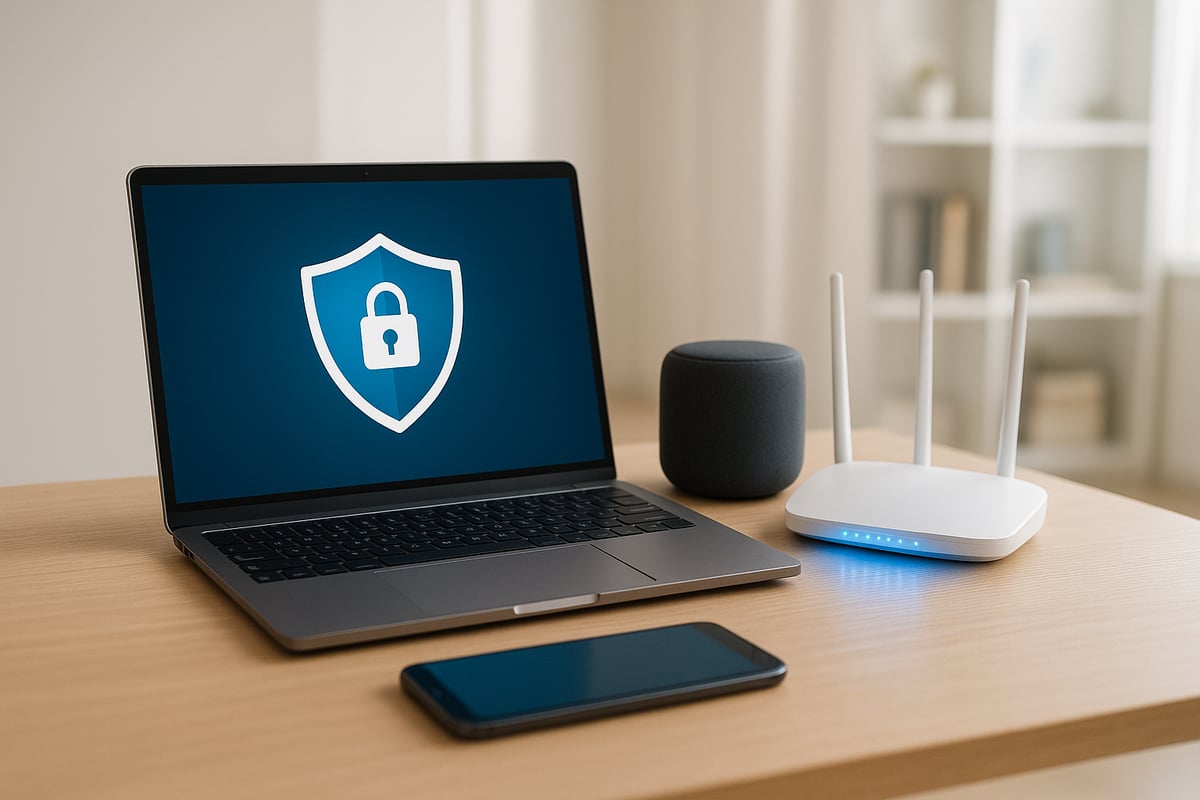
Securing your digital life is the first and most vital step to protect personal information in 2026. With new threats emerging daily, your devices and home networks are often the front line between hackers and your sensitive data. Neglecting basic security can leave even the most careful users exposed.
Keep Software and Devices Updated
One overlooked way to protect personal information is keeping every device and app updated. Hackers constantly search for vulnerabilities in outdated systems, and unpatched software is a primary target. In fact, a significant percentage of breaches occur due to missed updates or ignored security patches.
To minimize your risk:
- Enable automatic updates for operating systems, applications, and device firmware.
- Regularly check for updates on less obvious devices, such as smart TVs, thermostats, and wearables.
- Update routers and IoT gadgets, not just computers and phones.
Many malware outbreaks start with a single unpatched device. For example, ransomware attacks have crippled households by exploiting outdated smart home tech. According to DeepStrike's Data Breach Statistics 2025, AI-driven attacks are on the rise, making proactive updates more critical than ever.
By making updates a habit, you dramatically reduce the window of opportunity for cybercriminals to access your data. This simple routine is a powerful way to protect personal information.
Protect Your Home and Mobile Networks
Your home network is the gateway to all your connected devices. If not properly secured, it could allow attackers to bypass device protections and compromise your entire digital ecosystem. To protect personal information, start by changing default router passwords and using strong, unique passphrases.
Always enable WPA3 encryption on your Wi-Fi. Disable older protocols like WEP and open networks. Set up a separate guest network for visitors and IoT devices, limiting what can access your main network. This prevents malware from spreading if one device is compromised.
Using a virtual private network (VPN) adds another layer of privacy, especially when you are away from home. VPNs encrypt your internet traffic, making it difficult for outsiders to intercept sensitive information.
Consider this scenario: a smart thermostat with a weak password allows a cybercriminal into your home network, exposing everything from your emails to bank details. Proactively securing your network is an essential step to protect personal information and keep your household safe.
Safe Use of Public Wi-Fi
Public Wi-Fi is convenient but can be a major risk to anyone trying to protect personal information. Open networks in cafes, airports, or hotels are often unencrypted, allowing attackers to intercept your data or trick you with fake hotspots.
Never log into financial or important email accounts on public Wi-Fi. If you must use these networks, always connect through a trusted VPN or use your mobile device as a personal hotspot. This ensures your information is encrypted, even on unsecured networks.
Be wary of pop-ups and requests for sensitive details when connected to public Wi-Fi. Real-world attacks have involved fake coffee shop networks that steal login credentials and install malware. Following these best practices lets you enjoy connectivity on the go while still working to protect personal information.
Step 2: Strengthen Account Security
Securing your online accounts is critical if you want to protect personal information in 2026. As cyber threats evolve, weak or reused credentials can put your most sensitive data at risk. By adopting the latest account security practices, you can significantly reduce your exposure to hackers and identity thieves.
Create and Manage Strong Passwords
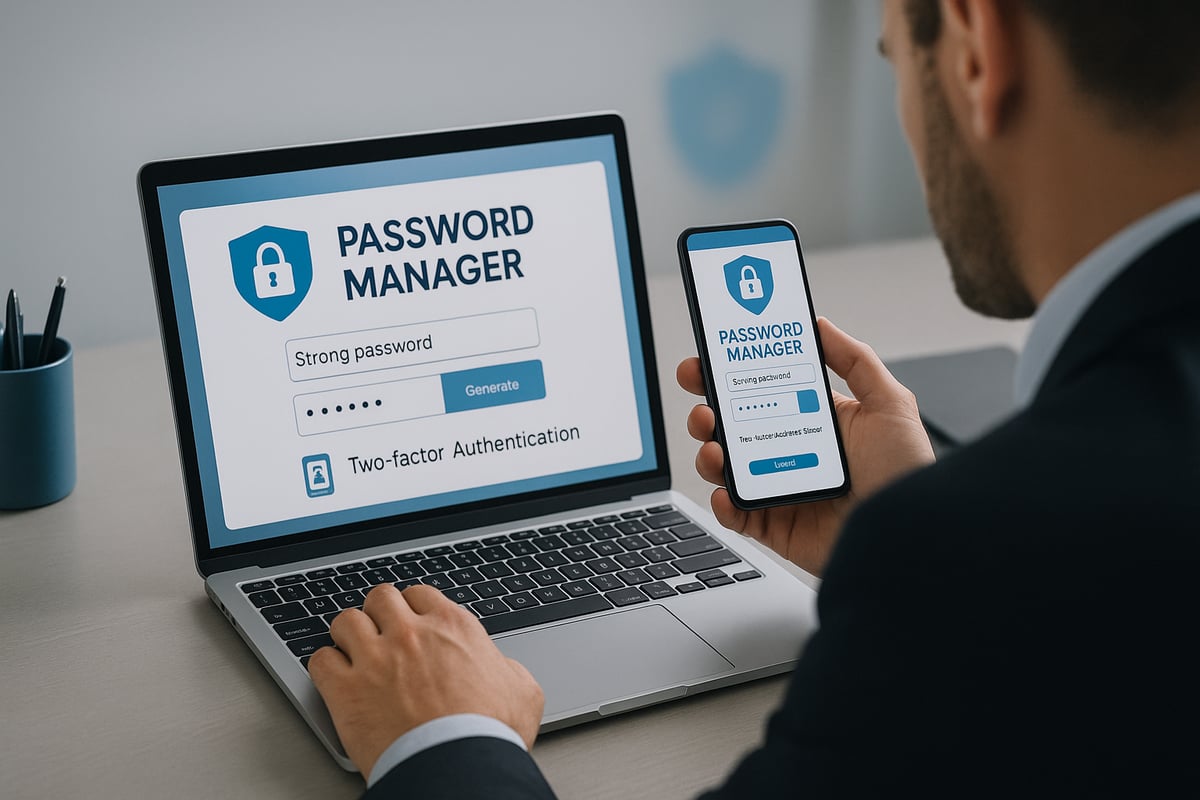
To protect personal information, every account should have a unique, complex password. Aim for at least 15 characters, using a mix of letters, numbers, and symbols. Passphrases are easier to remember and often more secure than random strings.
Consider using a password manager to generate and store your credentials securely. This reduces the risk of forgetting passwords or repeating them across sites. For a deeper dive into best practices, you can review Password protection best practices.
Common mistakes include using personal information or simple words in passwords. Cybercriminals often exploit weak credentials to access accounts, as seen in several high-profile breaches. A password manager not only simplifies your digital life, it also strengthens your first line of defense.
Enable Two-Factor Authentication (2FA)
Two-factor authentication adds a vital security layer to protect personal information. With 2FA, even if your password is compromised, a hacker cannot access your account without a second verification step.
There are several 2FA methods:
- SMS codes (least secure, but better than nothing)
- Authenticator apps (like Google Authenticator or Authy)
- Biometric options (fingerprint or facial recognition)
- Hardware security keys (most secure)
Choose the most robust option available for your accounts. According to cybersecurity experts, accounts with 2FA enabled are 99.9% less likely to be breached. A recent example involved a user whose email account was targeted, but the attack failed because 2FA was active.
Choose Secure Security Questions
Security questions are often overlooked, but they can be a weak link if not handled carefully. To protect personal information, never use answers that can be found online or guessed by someone who knows you.
Instead, treat security question answers like passwords:
- Use random or unrelated responses
- Avoid real information that appears on social media
- Store your answers securely in your password manager
Attackers frequently succeed by exploiting predictable questions, such as your mother's maiden name or your first pet's name. By randomizing your answers, you make it much harder for anyone to bypass your account security.
Monitor Accounts for Unusual Activity
Constant vigilance is essential to protect personal information. Set up alerts for account logins, password changes, and financial transactions. Many services offer activity logs that you can review regularly for suspicious behavior.
Consider using third-party monitoring tools and credit monitoring services for additional oversight. If you notice anything unusual, act quickly to reset your credentials and notify your financial institutions. Early detection can prevent minor incidents from becoming major breaches.
Proactive monitoring, combined with strong passwords and 2FA, creates a resilient defense against the most common forms of digital attack.
Step 3: Recognize and Prevent Social Engineering & Scams
The tactics used by cybercriminals in 2026 are more sophisticated than ever. To protect personal information, you must stay alert to social engineering and scams that target individuals of all ages. These threats often rely on manipulating human behavior rather than hacking technology, making awareness your first line of defense.
Phishing and Smishing in 2026
Phishing and smishing remain top threats as hackers evolve their methods to bypass traditional security. Phishing uses deceptive emails, while smishing relies on text messages to trick you into revealing sensitive data. In 2026, AI-driven attacks can perfectly mimic legitimate communications, making it harder to spot fraud.
Recent FTC alerts confirm a surge in text-based scams targeting bank accounts, digital wallets, and personal details. Attackers often impersonate trusted brands or even colleagues. To protect personal information, always verify sender details and never click suspicious links. Use multi-factor authentication and report any suspect messages to your service provider.
Social Media Oversharing Risks
Social media platforms are a goldmine for identity thieves. Oversharing personal information—like birthdays, addresses, or travel plans—gives criminals clues to guess passwords or answer security questions. Even seemingly harmless posts can be pieced together for targeted attacks.
To protect personal information, adjust your privacy settings and think before you share. Set profiles to private and avoid posting sensitive details. If you want a deeper dive into avoiding online manipulation, explore these tips for recognizing and preventing social engineering. Educate your children and teens about the risks of oversharing to keep the whole family safe.
Common Impersonation Scams
Impersonation scams are increasingly common, with criminals posing as government agencies, banks, or reputable companies. These scams often use urgent language to frighten victims into revealing credentials or sending money. Watch for unsolicited requests, spelling errors, or demands for immediate action.
To protect personal information, always verify the identity of anyone requesting sensitive data. Contact organizations directly using official phone numbers or websites. Remember, legitimate companies will never pressure you to act immediately or threaten you with dire consequences.
Malware and Malicious Attachments
Malware is often delivered through fake invoices, shipment notifications, or enticing offers in email attachments or links. Once downloaded, these programs can steal credentials, encrypt files for ransom, or spy on your activities.
Install reputable antivirus and antimalware software on all devices. Be wary of attachments, especially from unknown senders. To protect personal information, update your software regularly and avoid downloading files unless you are certain of their legitimacy.
Protecting Kids and Seniors
Children and seniors are frequent targets due to their trusting nature and limited technical knowledge. Kids may click on suspicious links, while seniors might respond to fraudulent calls or emails.
Educate family members about common scams and encourage open communication about suspicious encounters. Set up parental controls and monitor online activity where appropriate. By staying proactive, you can protect personal information for your loved ones and reduce the risk of falling victim to social engineering.
Step 4: Limit Data Exposure and Practice Digital Hygiene
Limiting your digital exposure is fundamental if you want to protect personal information in 2026. Every online interaction leaves a trace, but you can take control. Practicing digital hygiene is like keeping your house clean—small, regular actions make a big difference in your security.
Reduce Your Digital Footprint
Start by tracking where your information lives online. Many people forget about old email accounts, unused shopping profiles, or rarely used apps. These forgotten accounts can be entry points for cybercriminals.
To protect personal information, regularly delete accounts and uninstall apps you no longer use. Visit major data broker websites to request removal of your information. Adjust privacy settings on social media and online accounts, limiting what is visible to the public.
- Review your accounts every few months.
- Use account management tools to identify unused logins.
- Take time to unsubscribe from unnecessary email lists.
By minimizing your digital footprint, you reduce the attack surface for potential threats.
Control Information Shared Online
Think before you share personal details on the internet. Many identity theft cases begin with public posts or oversharing on social media. To protect personal information, avoid posting your full birthdate, address, or vacation plans.
Here is a quick comparison:
|
Information Type |
Safe to Share Publicly? |
Best Practice |
|---|---|---|
|
Full Name |
Sometimes |
Use initials if possible |
|
Birthdate |
No |
Keep private |
|
Home Address |
No |
Never post online |
|
Travel Plans |
No |
Share only with trusted people |
Set your profiles to private, and educate family members about the risks. Even a birthday post can help a criminal answer security questions or guess passwords.
Data Minimization and Consent
Websites and apps often ask for more information than they need. To protect personal information, provide only the details required for the service. If a form asks for optional data, leave those fields blank.
Opt out of marketing lists and unnecessary data sharing options whenever possible. Review privacy policies to understand how your data will be used. Many services allow you to manage consent preferences in your account settings.
- Only give out information you are comfortable sharing.
- Regularly review permissions for apps and services.
- Withdraw consent if you no longer use a service.
Practicing data minimization keeps your sensitive details away from unnecessary exposure.
Secure Document Storage and Disposal
Physical and digital documents both require secure handling. Shred any paper documents containing personal data before throwing them away. For digital files, use encrypted storage solutions to protect personal information against unauthorized access.
When disposing of old devices, perform a full data wipe and, if possible, physically destroy storage drives. Avoid leaving sensitive files on unprotected USB sticks or cloud folders.
- Store tax records, medical files, and IDs in encrypted folders.
- Use strong passwords for document access.
- Regularly back up important data in a secure location.
Proper storage and disposal methods are key to maintaining long-term privacy.
Using Secure Digital Vaults for Family Protection
Digital family vaults offer a modern solution for organizing and safeguarding critical information. These platforms use advanced encryption to protect personal information, making it easy to manage sensitive documents like estate plans, insurance policies, and emergency contacts.
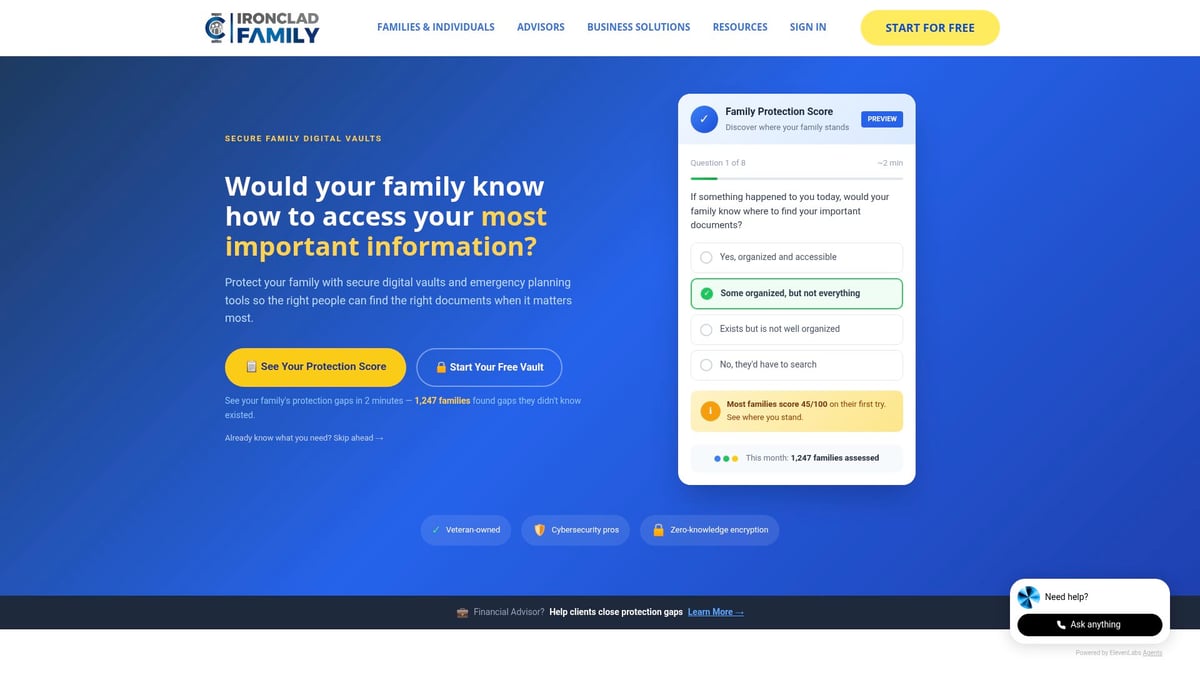
A secure vault can automate document sharing with trusted recipients during emergencies or major life events. This not only prevents loss but also ensures the right people have access when needed. For a deeper understanding of how digital vaults work, read this guide on Digital vaults for securing information.
Consider a digital vault if you are managing multiple family members' records, planning your estate, or preparing for unexpected events. The peace of mind provided by robust, encrypted storage is invaluable in today’s digital world.
Step 5: Respond Quickly to Breaches and Identity Theft
Reacting swiftly is critical if you want to protect personal information after a security incident. The digital landscape of 2026 means breaches can happen to anyone, and the faster you act, the better your chances of minimizing damage and regaining control. Knowing what to look for and how to respond is your best defense.
Signs Your Information Has Been Compromised
Recognizing early warning signs can help you protect personal information before criminals cause serious harm. Watch for:
- Unexpected changes to your account passwords or contact details
- Notifications about new credit card accounts or loans you did not request
- Alerts from credit monitoring services regarding suspicious activity
- Unfamiliar transactions or withdrawals from your bank accounts
- Emails or calls about login attempts you did not make
If you notice any of these, act immediately. Even a single red flag could mean your data is at risk and requires a prompt response to prevent further exposure.
Immediate Steps to Take After a Breach
Once you suspect a breach, time is of the essence to protect personal information. Start by:
- Changing passwords for all affected accounts and enabling two-factor authentication
- Contacting your bank or credit card provider to freeze or monitor accounts
- Reporting the incident to the FTC at IdentityTheft.gov for a customized recovery plan
- Documenting what happened and when for future reference
- Notifying any other impacted parties, such as employers or family members
Taking these steps can limit financial loss and keep your identity from being further exploited. Do not delay—every minute counts.
Credit Freezes and Fraud Alerts
A credit freeze is a powerful tool to protect personal information, as it blocks most new account fraud. To place a freeze, contact each of the three major credit bureaus. This action prevents lenders from accessing your credit file until you lift the freeze.
Alternatively, a fraud alert requires creditors to verify your identity before opening new accounts. Use a credit freeze if you believe your information is at high risk or after a confirmed identity theft. Fraud alerts are suitable for less severe concerns but still provide an extra layer of security.
Both measures are free and do not affect your credit score. Make sure to follow up with each bureau and keep records of your requests.
Recovering from Identity Theft
If identity theft occurs, there is a step-by-step process to help you protect personal information and recover:
- File a report with the FTC and your local police department
- Contact creditors and dispute any fraudulent accounts or charges
- Request copies of your credit reports to review for further suspicious activity
- Keep detailed records of all communications and actions taken
- Seek legal assistance if needed, especially for complex cases
Ongoing monitoring is vital. Set up alerts for future activity, and review your credit regularly to ensure no new issues arise. Recovery can be challenging, but persistence and documentation are key.
Learnings from Recent Major Breaches
Major breaches in recent years have exposed the vulnerabilities that can impact anyone, regardless of caution. For example, as highlighted in Constella's 2025 Identity Breach Report, over 100 billion records were compromised globally, underscoring the urgent need to protect personal information.
Victims often found that immediate action, such as freezing credit and reporting incidents, dramatically reduced long-term consequences. The key lesson: Stay informed, act quickly, and never assume you are not a target. Regularly review your security habits and adapt as threats evolve.
Advanced Tools and Future Trends in Personal Information Protection
As technology evolves, so do the methods to protect personal information. Staying ahead requires understanding the latest tools and anticipating tomorrow’s threats. Let’s explore the advanced solutions and trends shaping personal information security in 2026.
AI and Automation in Cybersecurity
Artificial intelligence is transforming how organizations protect personal information. AI-powered tools now detect and respond to cyber threats in real time, using machine learning to spot anomalies that humans might miss. Automated systems can block phishing attempts, flag suspicious logins, and react instantly to malware.
For example, many security platforms integrate AI-driven monitoring to reduce breach response times. According to the Identity Theft Resource Center's Q1 2025 Data Breach Analysis, AI has been instrumental in identifying new attack trends and lowering incident impact. Adopting these tools is vital to protect personal information as attack methods become more sophisticated.
Biometric Security and Its Limits
Biometric authentication, such as facial recognition, fingerprint scans, and voice ID, is increasingly used to protect personal information. These methods add convenience, making it harder for unauthorized users to access sensitive data.
However, biometrics are not foolproof. Criminals have developed ways to spoof fingerprints or create deepfake videos to bypass controls. Privacy concerns also arise if biometric data is stored insecurely. To protect personal information, combine biometrics with other security layers and ensure data is encrypted.
Privacy Legislation and Consumer Rights in 2026
New privacy laws are reshaping how organizations collect, use, and store your data. In 2026, consumers benefit from expanded rights, including access to personal records, correction of errors, and the ability to request deletion.
Despite regulations, gaps remain. Companies might still collect more data than needed or delay responding to requests. To protect personal information, stay informed about your rights and use available tools to manage your digital footprint.
The Role of Professional Services and Insurance
Identity theft protection services monitor accounts for signs of fraud, alerting you to suspicious activity. Many now offer assistance with recovery, legal support, and even reimbursement for certain losses. Cyber insurance is another layer, covering costs if your data is compromised or you become a victim of cybercrime.
When deciding on these services, compare coverage levels, response times, and customer support. While not a substitute for good habits, professional support adds reassurance in a complex digital world.
Preparing for the Next Generation of Threats
Cyber threats constantly evolve, so continuous learning is essential. Subscribe to FTC alerts, read cybersecurity blogs, and attend community workshops to stay updated. Encourage your family to do the same, especially young people and seniors.
The best way to protect personal information is to remain vigilant, adapt to new risks, and use every resource available. By combining advanced tools with informed habits, you’ll be ready for whatever the future brings.
After exploring the essential steps to protect your personal information in 2026, you understand how crucial it is to keep your family’s sensitive data secure and accessible only when needed. Organizing your documents and emergency plans in a secure, digital vault can provide peace of mind—especially as threats continue to evolve.
If you’re ready to take control and safeguard what matters most, I encourage you to Start 14-Day Free Trial with IronClad Family’s trusted digital protection services. It’s a proactive way to ensure your critical information is protected and always within reach when your loved ones need it most.

